Introduction
For the blog post this week, I reverse engineered Photogrammer, which is a website that presents photos during World War 2 and the Great Depression. The website contains 170,000 photos from this era from 1935 – 1945, taken by the Farm Security Administration – Office of War Information (FSA-OWI). Photogrammer contain photos that depicts the harsh lifestyle that many Americans had to face during this devastating time, and is presented in an easy manner in which users can easily click, for example, on a map, to see photos during that period of time.
Sources
The photos used in the website were taken by the FSA-OWI from 1935-1945 to capture the lifestyle before and after the relieve services which were passed to get America out of the Great Depression. These relieve services were appointed by President Roosevelt, with the first major initiatives being passed in 1935, called the Resettlement Administration. Thus, by taking photos starting from 1935 where the Great Depression was still shattering the US economy, the photos were meant to be historical evidence that delineated the woe of the people during the depression, and eventually the success of these initiatives.
Processes
Photographers were sent all over the country to take pictures of the lifestyle, and sent to Washington DC, where the photos became known as the FSA-OWI File. Furthermore, more photos from other collection were added, to total 170,000 photos. Photogrammer then scanned these photos to digitize them, and were uploaded on their website, allowing people from all over the world to view the collection from the comfort of their own home.
Presentation
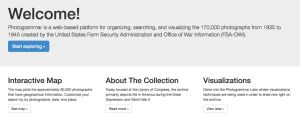
The introduction page is laid out very simply for the users to digest all the materials easily. On the top of the page, there is 5 tabs (Home, Maps, Search, About, Labs), and a corresponding information on what each of the tab is, in the middle of the home page. There is a big “Welcome!” text at the top, with a smaller text underneath that briefly explains the website, and a blue button that stands out that reads “Start Exploring,” making it obvious for users to find the starting point.
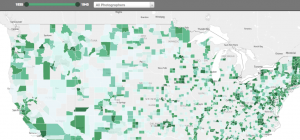
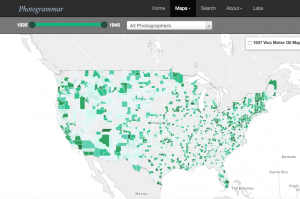
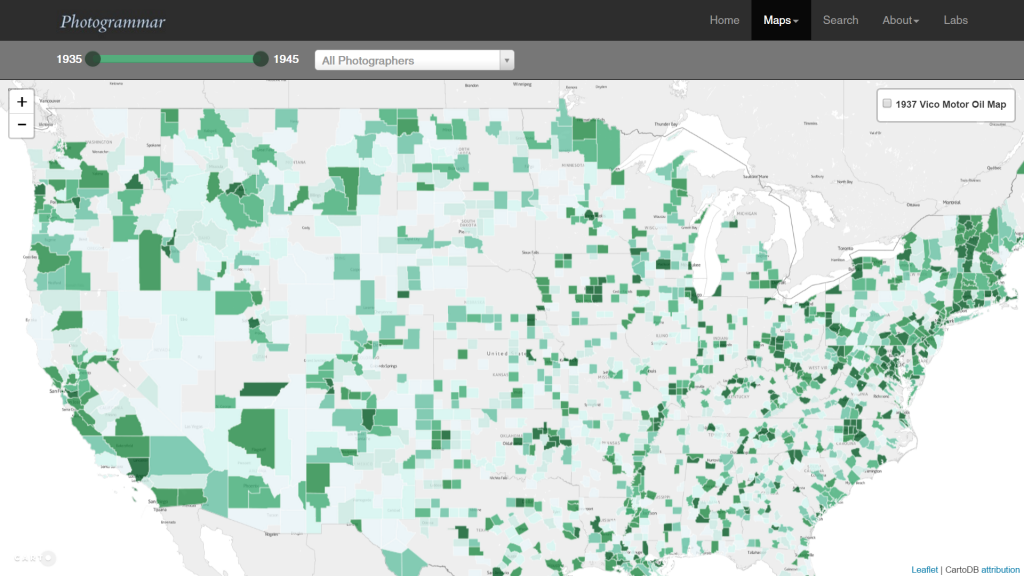
The main method that the website presented the website is through an interactive map, in which the users could click the approx. location on the map to see photos from that location during 1935-1945. Furthermore, there is a slider on the top of the map to allow users to choose any interval of time between 1935-1945. This is useful because users can choose to see photos, for instance, of 1935-1937 and compare it with 1943-1945 to see the difference in the standard of living.
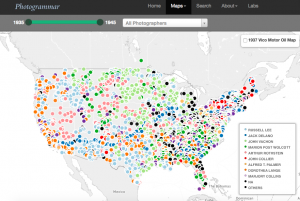
Another option the user can adjust is where they want to see the photos by county or dot. The county option highlights photos of counties by a hue of green color, with darker color symbolizing a greater concentration of photo per area. On the other hand, the user can also choose the dot option, where different colored dots placed all over the map, each color representing a different photographer. Once the user clicks on a photo, the user can easily see all the photos from that location in a grid format, and by clicking a photo, the user receives a bigger picture of the photo with more information on the left of the photo with captions, name of photographer, date, location and more.

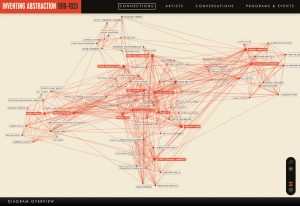
 The interface of the website delivers an intuitive experience for the users. When one first enters the website, the home page introduces the early emergence of abstraction across different media, hinting at the idea conveyed later by the network graph that connections between artists of different fields lead to the development of abstraction. The button “Explore Connections” is placed in the lower right corner, a space arrangement that guides users to read the introductory texts in the middle first and thus equips users with the background knowledge to comprehend the significance of the network graph. The network graph is the heart of the website. The moment users leave the home page, they are taken to the page with the graph, with an “Overview” pane only automatically opened once that explains the logics behind the graph. The exploration of the network graph overall is a nonintrusive experience as buttons on the bottom navigation bar and on artists’ names on the network graph as nodes do not lead to separate webpages but the contents open side-by-side with the graph. Besides the UX design, the UI design also delivers an intuitive experience. The designers behind the project use Adobe Illustrator to construct the visual design of the contents. The color theme of “red”, “ivory” and “black” is used consistently throughout the design of the website and of the graph. “Red” marks only certain names within the artist catalogue and their corresponding nodes within the network graph to emphasize artists who have the most connections, or also the node of an artist that users click on, which then becomes the central node of his or her personal connections. The combination of UX and UI design therefore guides the users to understand the significance of the network structure behind the emergence of abstraction and how being in a network can foster creativity.