The FSA-OWI, Farm Security Administration – Office of War Information, was a program created by Roosevelt during time of the First New Deal as a reaction to the Great Depression to assist poor, displaced farmers for resettlement. The FSA compiled an archive of photos demonstrating daily life in order to challenge rural poverty. The main source of pictures were gradually compiled and stored in the Office of War Information in Washington DC. The Liberty of Congress helped contributed through reorganizing, cataloging, and maintaining the photos for the collection. The interface Photogrammar makes it user friendly to view these primary sources and categorizes each individual photo based on time, location, and photographer.
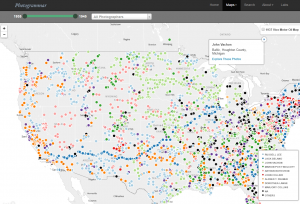
Under Maps, Photogrammar does a wonderful job tracing these photos based on location, over the United States, and time, from 1935-1946. Using the leaflet program, the creators of Photogrammar’s interactive map tell a story about the various photographers’ journey as their work illustrate the lifestyle of the many displaced farmers to depict the repercussions of the post great depression. The map organizes the pictures in ways where you can filter it based on artist and time. It also has two subcategories, the “countries” and “dots,” which demonstrated where a certain photographer’s work was heavily concentrated at, or if a photographer traveled to a certain destination as evident in Jack Delano’s. Once you click on a specific spot on the map after filtering the year and photographer, you can view their collection of photos specifically on that time and place. As the photos accumulate over time and among other photographers, it forms a very grand compilation of photos for people to view.
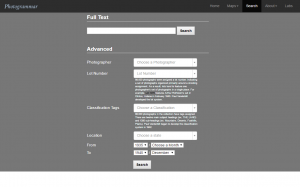
If the user is trying to find something specific, one can easily utilize the search feature in Photogrammar. This feature is catered to people like historians to trace back something that they are looking for in particular, such as images from a specific city during a specific year. Rather than clicking and waiting for the page to load after every distinguished filter on the map, the search feature has many categories so that one can filter the archives of images to help you find what you’re looking for within a click, given that all the desired information is inputted.
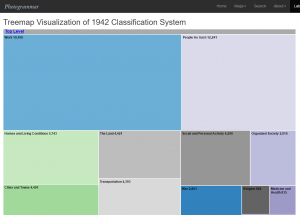
What I found really interesting about the website was the very last tab labeled “Labs.” It thinks outside the box and gives these pictures a different type of interpretation. For example, for the Treemap feature, it starts of with very general list of keywords to describe an aspect of human interaction on a daily basis, such as transportation, religion, etc. Once you click on a specific aspect, it creates a new set of subcategories that falls under it. As you continue to narrow down your search, you are able to find a collection of photos that fall under that specific topic. It allows many individuals to expand their search if they are focusing on a certain topic, rather than limiting themselves to a time, place, and photographer. The Photogrammar website make is a lot easier for historians, researchers, and students navigate and learn about the social issue of rural rehabilitation.
Really great post! I like how detailed and in depth it is. I am really looking forward to exploring more about this project after reading your post. Prior to this, I did not know that such a Farm Security Administration had existed. It was really helpful how you included so many diagrams which connected to the actual project itself. The map feature seems really cool and your description of it really thorough and complete. I also really liked how you provided your own opinion and feedback on the project itself!